🌰 Hazelnut
A beautiful terminal-based file organizer
inspired by Hazel
Watch folders and automatically organize files with flexible rules — all from your terminal with a gorgeous TUI.
brew install ricardodantas/tap/hazelnut cargo install hazelnut Features
Watch Folders
Monitor directories for new and changed files in real-time. Paths support ~ and environment variables like $HOME.
Flexible Rules
Create powerful rules with conditions based on file name, type, size, age, and more using glob patterns or regex.
Smart Actions
Move, copy, rename, archive, trash, or run custom scripts. Multiple rules can match the same file — chain actions together.
Beautiful TUI
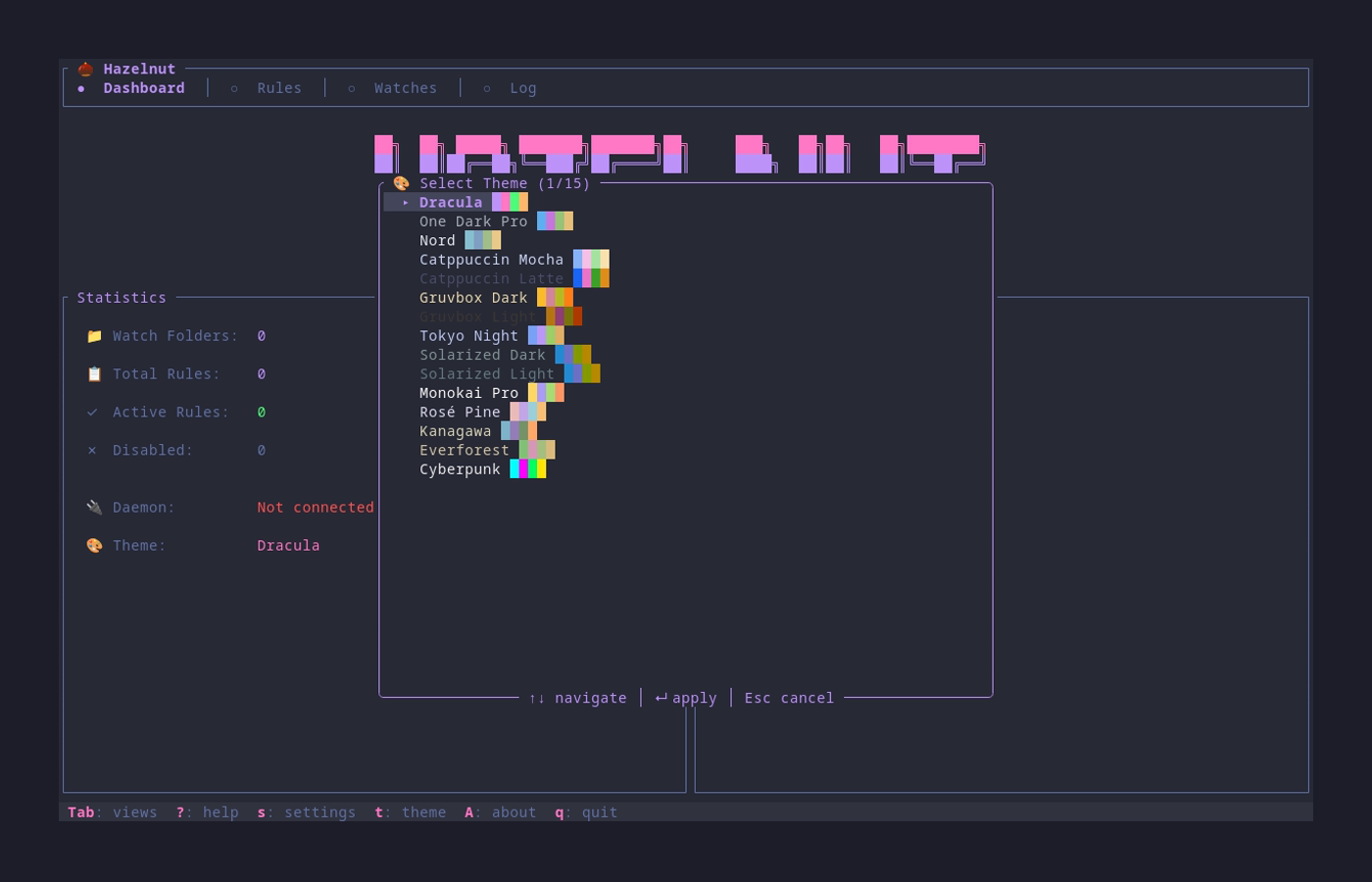
Manage rules and monitor activity through an intuitive terminal interface with 15 gorgeous themes.
Background Daemon
The daemon runs quietly in the background, processing files automatically as they appear.
Desktop Notifications
Get alerted when something goes wrong. Cross-platform support for Linux, macOS, and Windows.
Example Rules
📸 Organize Screenshots
[[rule]]
name = "Screenshots"

[rule.condition]
name_matches = "Screenshot*.png"

[rule.action]
type = "move"
destination = "~/Pictures/Screenshots"
🗑️ Clean Old Downloads
[[rule]]
name = "Clean old downloads"

[rule.condition]
age_days_greater_than = 30

[rule.action]
type = "trash"
📄 Sort PDFs
[[rule]]
name = "Move PDFs"

[rule.condition]
extension = "pdf"

[rule.action]
type = "move"
destination = "~/Documents/PDFs"15 Beautiful Themes
Customize your experience with gorgeous color schemes including Dracula, Nord, Tokyo Night, and more.
Quick Start
Hazelnut needs watch folders (where to look) and rules (what to do). Both are required!
Install
brew install ricardodantas/tap/hazelnut or cargo install hazelnut
Configure Watches + Rules
Edit ~/.config/hazelnut/config.toml — see docs for examples
Start the Daemon
hazelnutd start Launch the TUI
hazelnut